
Sale!
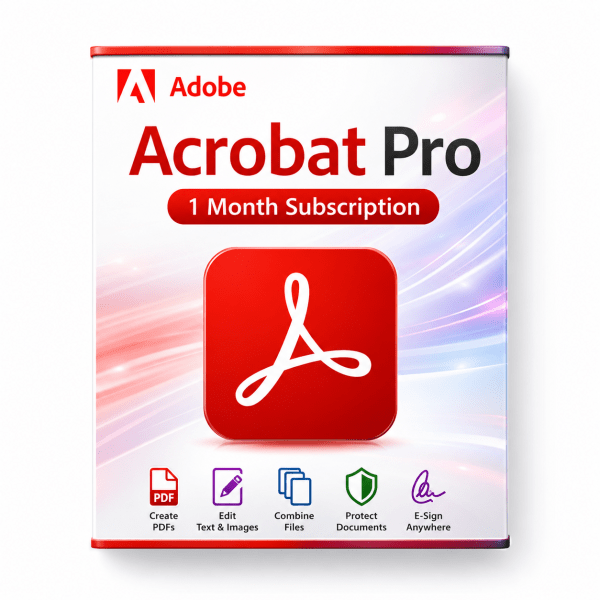
Adobe Acrobat Pro – 1 Month Subscription Key
$ 13.49
�� What you are buying Adobe Acrobat Pro — 1 Month Subscription Key Adobe Acrobat Pro is Adobe’s professional PDF application for creating, editing, converting, signing and securing documents. This listing delivers a prepaid 1-month subscription key that you redeem on your own Adobe account to unlock Acrobat Pro for thirty days — including desktop, mobile and web workflows for teams and solo professionals who live in PDF documents every day. Acrobat Pro goes far beyond viewing PDFs. Edit text and images directly in a PDF, convert files to and from Microsoft Word, Excel and PowerPoint, collect e-signatures, compare document versions, redact sensitive information and password-protect files before sharing. Work on desktop, in the browser or on mobile with the same Adobe ID — ideal for contracts, invoices, onboarding packs, legal review and client deliverables. This is a time-limited subscription, not a perpetual licence. After the one-month period ends, Acrobat Pro access stops unless you purchase another subscription key from us. There is no lifetime ownership of the software — you are buying one prepaid month of Acrobat Pro on your Adobe ID. ��️ Key Features ✔️ Edit PDF text and images — fix typos, swap images and adjust layout without returning to the source file✔️ Convert PDFs — export to Microsoft Word, Excel and PowerPoint while preserving formatting where possible✔️ Create PDFs from files — turn Word docs, spreadsheets, slides and images into share-ready PDFs✔️ E-signatures — sign documents, request signatures and track responses in real time✔️ Forms — create, fill, sign and send PDF forms; turn existing PDFs into web forms✔️ Security — password-protect PDFs and control permissions before distribution✔️ OCR and scan workflow — turn scanned documents into editable, searchable PDFs✔️ Redaction — permanently remove sensitive visible information before sharing✔️ Compare documents — review differences between two PDF versions side by side✔️ Reorder and delete pages — manage page structure inside Acrobat without re-exporting✔️ Desktop, web and mobile — Acrobat Pro on Windows, macOS, browser and supported mobile apps with the same Adobe account✔️ Complimentary Adobe Express Premium — stylize documents with a bundled Adobe Express Premium trial period (see Adobe terms after redemption) �� PDF Editing and Document Prep Acrobat Pro is built for people who need to change PDFs after they exist — not just print or view them. Fix a client name, update a figure, replace a logo or remove a page without rebuilding the file in Word or InDesign. ✔️ In-place text edits — change wording, font size and paragraph flow inside the PDF✔️ Image replacement — swap photos, charts and logos with a few clicks✔️ Page management — insert, delete, rotate and reorder pages in multi-page documents✔️ Headers and branding — add logos and consistent branding to agreements and forms✔️ Combine files — merge multiple PDFs into one deliverable pack✔️ Prepare for print or web — optimize PDFs for distribution, review and archiving ✍️ E-Signatures and Forms Acrobat Pro replaces paper-heavy signature cycles with trackable digital workflows. Send agreements for signature, monitor who has signed and store completed PDFs in one place. ✔️ Sign yourself — apply your signature on desktop or mobile✔️ Request signatures — send documents to clients and colleagues; recipients do not need an Adobe login to sign in many flows✔️ Track status — see which signers have completed and who is still pending✔️ Fillable forms — complete PDF forms and create new ones from existing templates✔️ Web forms — upload PDF forms and publish web-friendly versions for faster data collection✔️ Agreement branding — add your logo to signature requests for a professional client experience �� Security, OCR and Compliance When PDFs carry contracts, financial data or personal information, Acrobat Pro includes the tools to protect content before it leaves your machine. ✔️ Password protection — restrict opening, printing, copying and editing with document passwords✔️ Redaction — permanently remove visible sensitive text and images (not just a black highlight overlay)✔️ OCR — convert scanned pages into searchable, selectable text✔️ Compare versions — highlight every change between two PDF revisions for legal or QA review✔️ Metadata awareness — review document properties before external sharing✔️ Controlled sharing — send PDFs through Adobe’s document cloud workflows where supported �� Best For A one-month Acrobat Pro key fits buyers who need professional PDF tooling for a defined window — a contract season, audit period, relocation paperwork or a short client project — without committing to a full-year Adobe plan upfront. ✔️ Freelancers and consultants — edit, sign and deliver client PDFs for a one-month engagement✔️ Legal and contracts teams — redact, compare versions and collect signatures on agreements✔️ Finance and accounting — invoices, statements, expense packs and audit documentation✔️ HR and operations — onboarding forms, policy updates and signed employee documents✔️ Real estate and sales — proposals, disclosures and signed offer packs✔️ Students and researchers — annotate readings, combine submissions and export citations✔️ Small businesses — Acrobat Pro for a busy month without a long subscription contract✔️ PDF-only buyers — when you do not need Photoshop or Premiere Pro from a full Creative Cloud bundle �� Acrobat Pro vs Paid Alternatives in Our Catalog Adobe Acrobat Pro is the industry-standard subscription PDF suite. If you prefer a broader creative bundle or a one-time purchase, these paid options from our catalog may fit better: ✔️ Acrobat Pro (1 month) vs Adobe Creative Cloud Pro (1 month) — Creative Cloud Pro bundles Acrobat Pro with Photoshop, Illustrator, Premiere Pro and 20 creative apps. Choose standalone Acrobat when PDF work is your only need; choose Creative Cloud when design and video tools are part of the same project.✔️ Acrobat Pro (1 month) vs Nitro PDF Pro 10 (Lifetime) — Nitro is a paid perpetual PDF editor for Windows (5 PCs). Choose Acrobat Pro for Adobe’s ecosystem, mobile apps and subscription feature updates; choose Nitro when you want owned PDF tooling without monthly fees.✔️ Acrobat Pro vs Microsoft Office 2024 Pro Plus — Office creates Word, Excel and PowerPoint files; Acrobat converts, edits, signs and secures the PDFs you deliver. Many buyers use both for end-to-end document workflow.✔️ Acrobat Pro vs Office Home & Business 2024 (PC) — a lighter Office bundle for solo professionals who still need Acrobat-class PDF editing alongside Word and Outlook. �� How the 1-Month Subscription Works This product is a prepaid subscription voucher — not a lifetime licence and not a standalone installer sold without Adobe activation. ✔️ Duration — one calendar month of Acrobat Pro access from successful redemption on your Adobe account (per Adobe’s redemption terms)✔️ Account-tied — the plan attaches to your Adobe ID; sign in on supported devices with that account✔️ What ends after the month — Pro-tier Acrobat features and subscription benefits tied to the active plan✔️ Renewal — purchase another subscription key from our store to continue; this key does not auto-renew through Software4You✔️ Not a perpetual licence — you do not own Acrobat outright; you rent access for the redeemed term✔️ Active subscription rule — you cannot extend an existing Acrobat or Creative Cloud subscription with this key; your current paid plan must expire before redemption (supplier requirement) �� What You Get ✔️ Adobe Acrobat Pro 1-month subscription redemption code✔️ Full Acrobat Pro feature access after successful redemption on your Adobe account✔️ Desktop, web and mobile Acrobat Pro access per Adobe’s current plan terms✔️ Step-by-step redemption instructions on this product page✔️ Official Acrobat Pro installer access through Adobe after redemption✔️ Fast digital delivery via email after purchase✔️ Email support and 24-hour replacement or refund policy �� Redemption and Activation Before you redeem — important: ✔️ Active subscription — if you already have a paid Acrobat or Creative Cloud subscription on your Adobe account, it must expire first before this key can be applied — you cannot stack or extend an active plan with this product✔️ Redeem promptly — activate the code as soon as you receive it after purchase✔️ Adobe account — free Adobe ID required; sign in at redemption✔️ Payment method — Adobe may request a valid payment method on the account to complete subscription redemption (no additional charge from Software4You for the prepaid month) Step-by-step redemption Sign in at redeem.adobe.com with your Adobe ID, or create a free Adobe account if you do not have one yet Enter the subscription code delivered to your email after purchase Follow Adobe’s on-screen prompts to complete redemption, including adding a payment method if requested Download and install the official Creative Cloud desktop app from Adobe (Acrobat Pro installs through Creative Cloud) Sign into Creative Cloud with the same Adobe ID and install Acrobat Pro Open Acrobat Pro and sign in to start editing, converting and signing PDFs After successful redemption, your Adobe account shows Acrobat Pro access for the redeemed term. Install Acrobat on supported Windows or macOS machines signed into the same Adobe ID. ⚙️ System Requirements ✔️ Windows 10 or Windows 11 (64-bit) — supported for Acrobat Pro desktop (check Adobe’s current Acrobat requirements before install)✔️ macOS — supported on compatible Mac versions per Adobe’s current Acrobat system requirements✔️ Internet connection — required for redemption, Adobe sign-in, installation and subscription validation✔️ Adobe account — free Adobe ID required; must meet Adobe age and region policies✔️ Disk space — allow sufficient storage for the Creative Cloud desktop app and Acrobat Pro install✔️ RAM — Adobe recommends 8 GB RAM or more for comfortable Acrobat Pro use on desktop✔️ Mobile and web — Acrobat mobile apps and browser experiences available on supported devices signed into the same Adobe account �� Compare Editions and Buyer’s Guides ✔️ Adobe Creative Cloud Pro — 1 Month — full creative suite including Acrobat Pro when you also need Photoshop, Illustrator and Premiere Pro✔️ Nitro PDF Pro 10 (Lifetime, 5 PC) — paid perpetual PDF editor if you prefer a one-time purchase over a monthly Adobe subscription✔️ Microsoft Office 2024 Pro Plus — create source documents in Word, Excel and PowerPoint before converting to PDF in Acrobat✔️ Office Home & Business 2024 (PC) — Word, Excel, PowerPoint and Outlook for everyday office work alongside Acrobat✔️ Windows 11 Pro — modern Windows host OS for an Acrobat Pro workstation✔️ Microsoft Project 2024 Professional LTSC Global — export project plans to PDF for client review and sign-off in Acrobat ❓ Common Questions Is this a subscription or a lifetime licence?Subscription. This is a prepaid 1-month Acrobat Pro key — not a perpetual licence. Access ends when the redeemed month expires unless you renew with another key from our store. Can I redeem this if I already have Acrobat or Creative Cloud?No — not while an active paid subscription is still running. Your current Adobe subscription must expire first. This key cannot extend or stack on top of an active plan. Where do I redeem the code?At redeem.adobe.com while signed into your Adobe ID. Install Acrobat Pro through the official Creative Cloud desktop app after redemption. Why does Adobe ask for a payment method?Adobe may require an active payment method on the account to activate subscription codes. This is an Adobe account requirement — not an extra charge from Software4You for the prepaid month. Do I need the full Creative Cloud bundle?No. This key unlocks Acrobat Pro only for one month. If you also need Photoshop, Illustrator or Premiere Pro, consider our Creative Cloud Pro 1-month key instead. How fast is delivery?Delivery is digital and usually arrives within 1 to 4 hours after purchase. What if redemption fails?Contact support by email with a screenshot of the Adobe error message. We provide replacement or refund within 24 hours per our policy. Do not redeem if an active Acrobat or Creative Cloud subscription is still active on the account. Will I be auto-billed after one month?This prepaid key does not auto-renew through Software4You. To continue after the month ends, purchase another subscription key from our store.
Related products
Sale!
Sale!
Sale!
Sale!
Sale!
Sale!
Sale!
Sale!